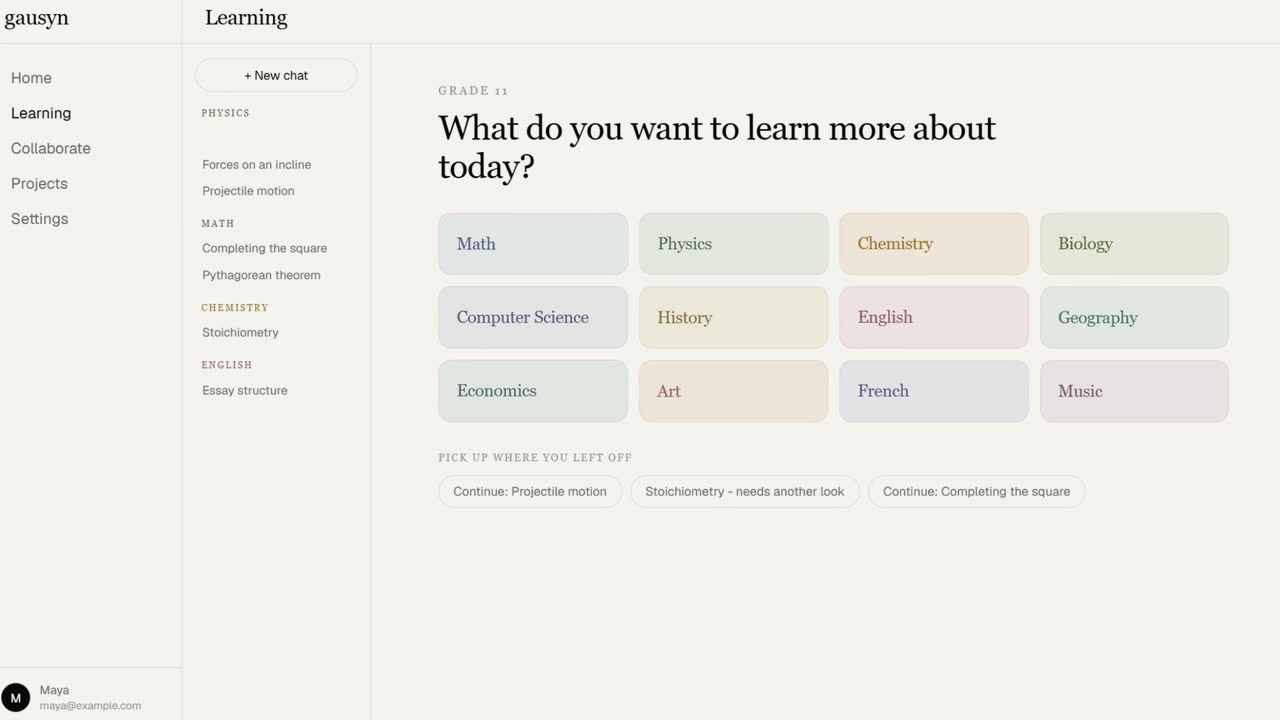
Version 0.1 is the first Gausyn that students can sit down and use. It covers the whole loop: planning your week, being taught a lesson, and working through problems on a board you share with your teacher.
A board, and two ways of using it
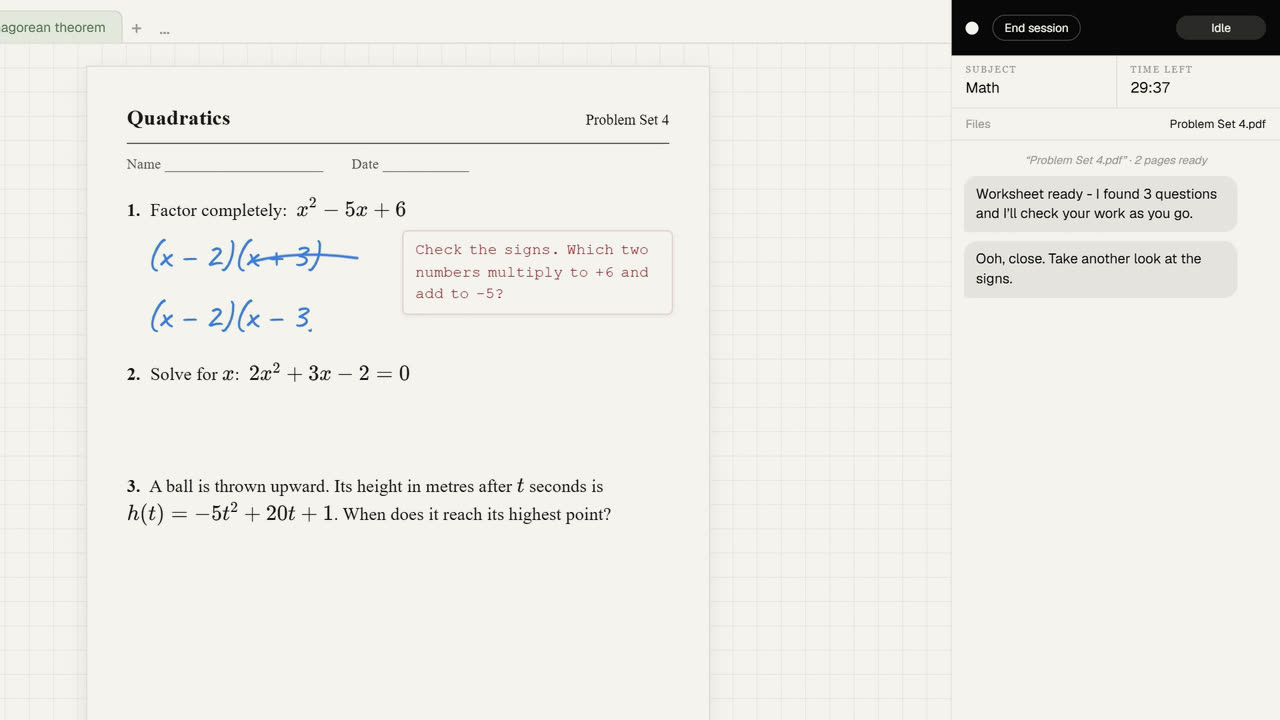
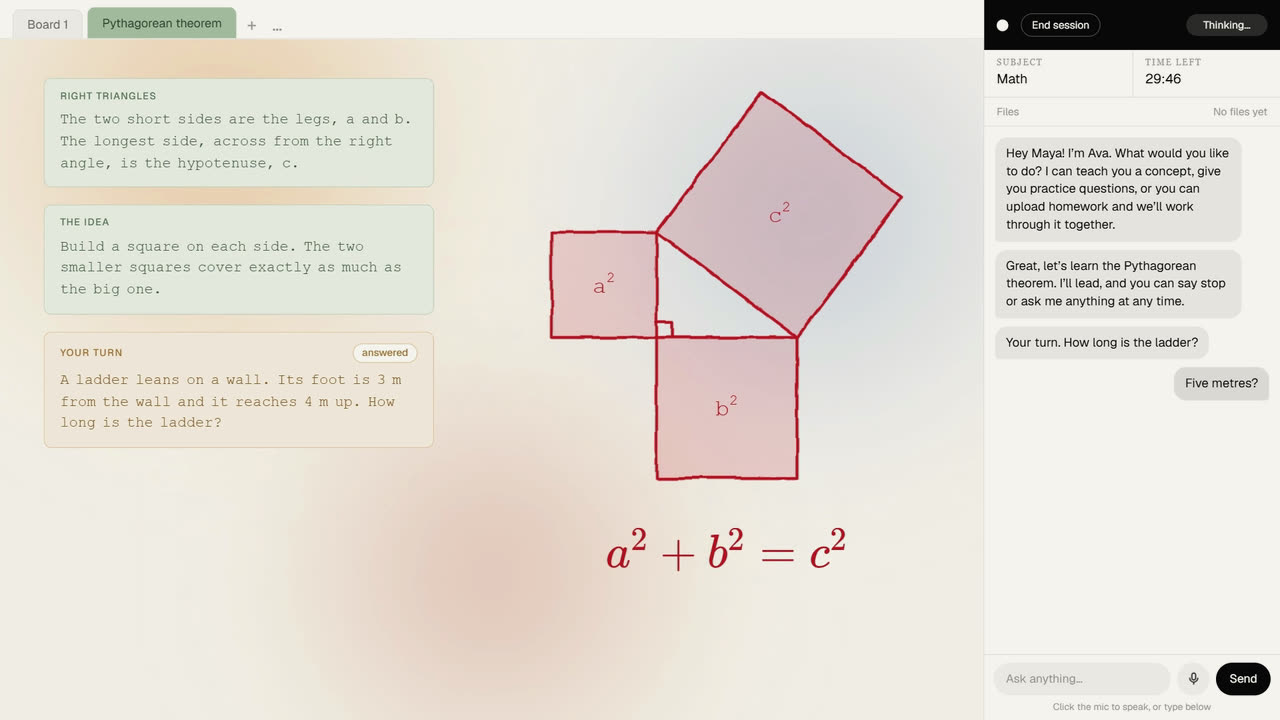
The board is the center of everything. Write with a pen, drop in shapes, or upload a worksheet and work straight on top of it. Gausyn sees the page the same way you do, so it can talk about the actual question in front of you.
In Teacher mode, Gausyn teaches a topic page by page, speaking as it goes. Interrupt at any point to ask why, ask for it slower, or ask it to go back. It waits for you rather than running on a timer.
In Practice mode you do the writing. Gausyn watches, and when you stall it offers a nudge or a single step, placed right beside the question you are stuck on. It will not fill in your answers.
More room for a hard question
Drag a box around any problem and it opens in its own workspace, with the original pinned at the top and a clean grid underneath. A marker takes you back to where you were. And if you want more practice, Gausyn writes a fresh question on the spot, harder, easier, or just different.
A week planned by talking
Tell Gausyn about an exam or an assignment in plain words and it books study sessions around the hours you are actually free. Change your mind and it re-plans. A test sits on the calendar with a live countdown, and Gausyn plans around it, leaving the morning of the exam clear.
For any student
The same account covers early arithmetic, high school algebra and chemistry, university calculus, and graduate work. The explanations, pace, and vocabulary change with the level. Speak your question or type it, so a quiet library and a noisy kitchen both work.